Swatch
Pick any colour on screen, measure anything in pixels, and keep your palettes.
- 14 days free, every feature
- ₹559 ₹799$10.50 $15 once, no subscription
- Version 1.0.0 · 52.9 MB
- Windows 10 or 11, 64-bit
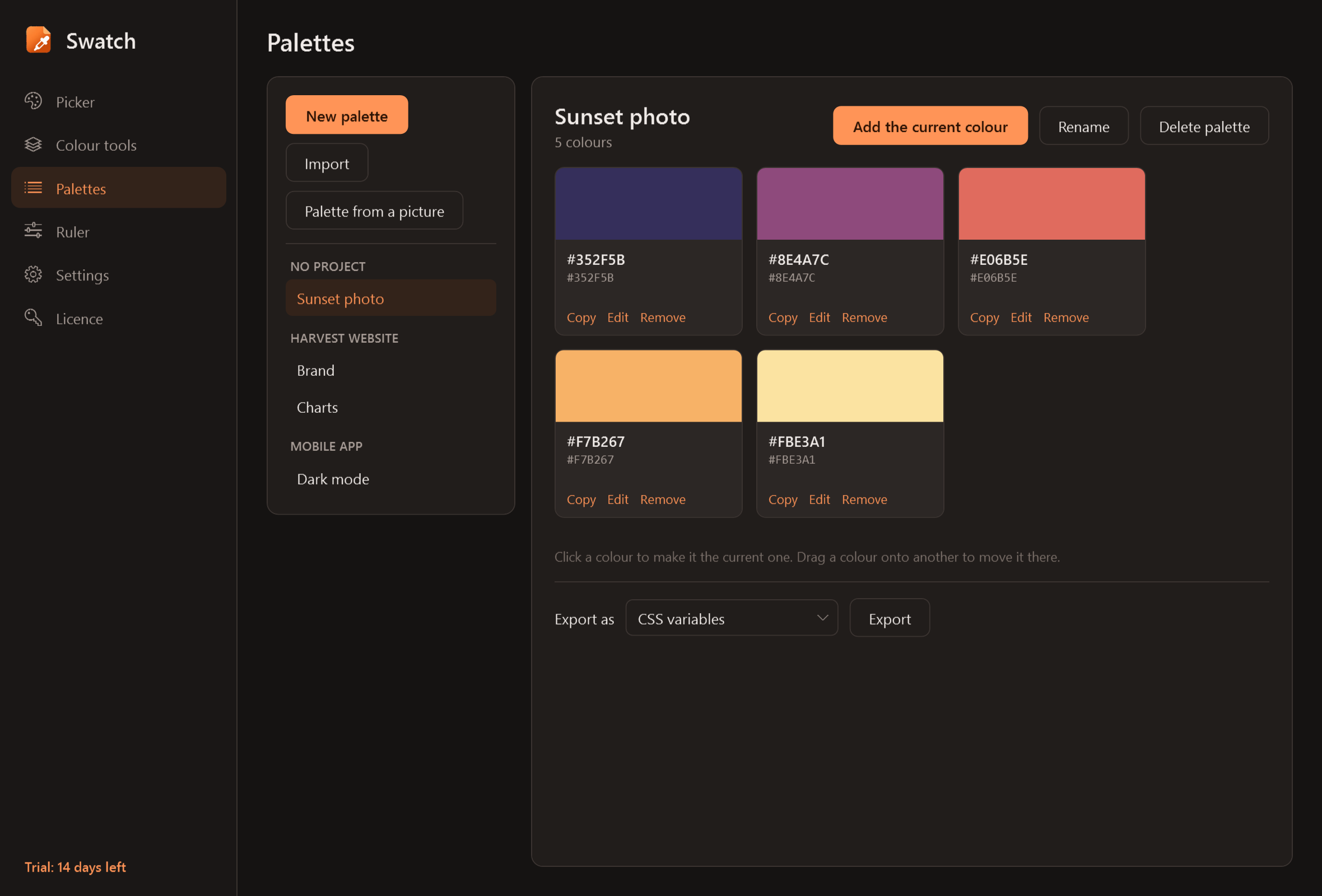
Swatch is a colour picker and pixel ruler for designers and developers. One shortcut picks any colour on screen and copies it in the format you need; another freezes the screen so you can measure distances and sizes in pixels; and a library keeps your palettes.
Colour picker
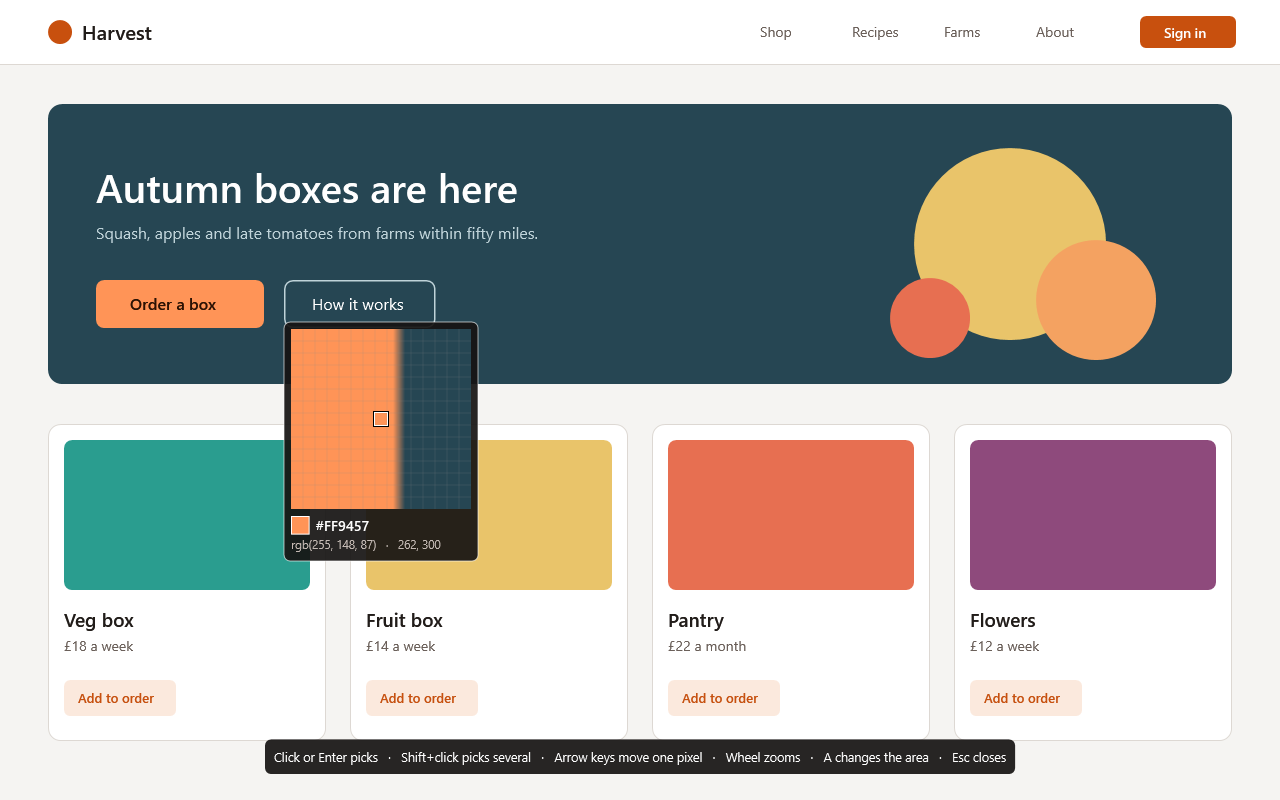
- Press the shortcut and a loupe appears at the pointer: a pixel grid, the centre pixel outlined, and its value shown live. Arrow keys move one pixel at a time, the wheel zooms, click or Enter picks.
- The value is copied in the format you chose and a small notice shows the swatch. Hold Shift to pick several colours in a row.
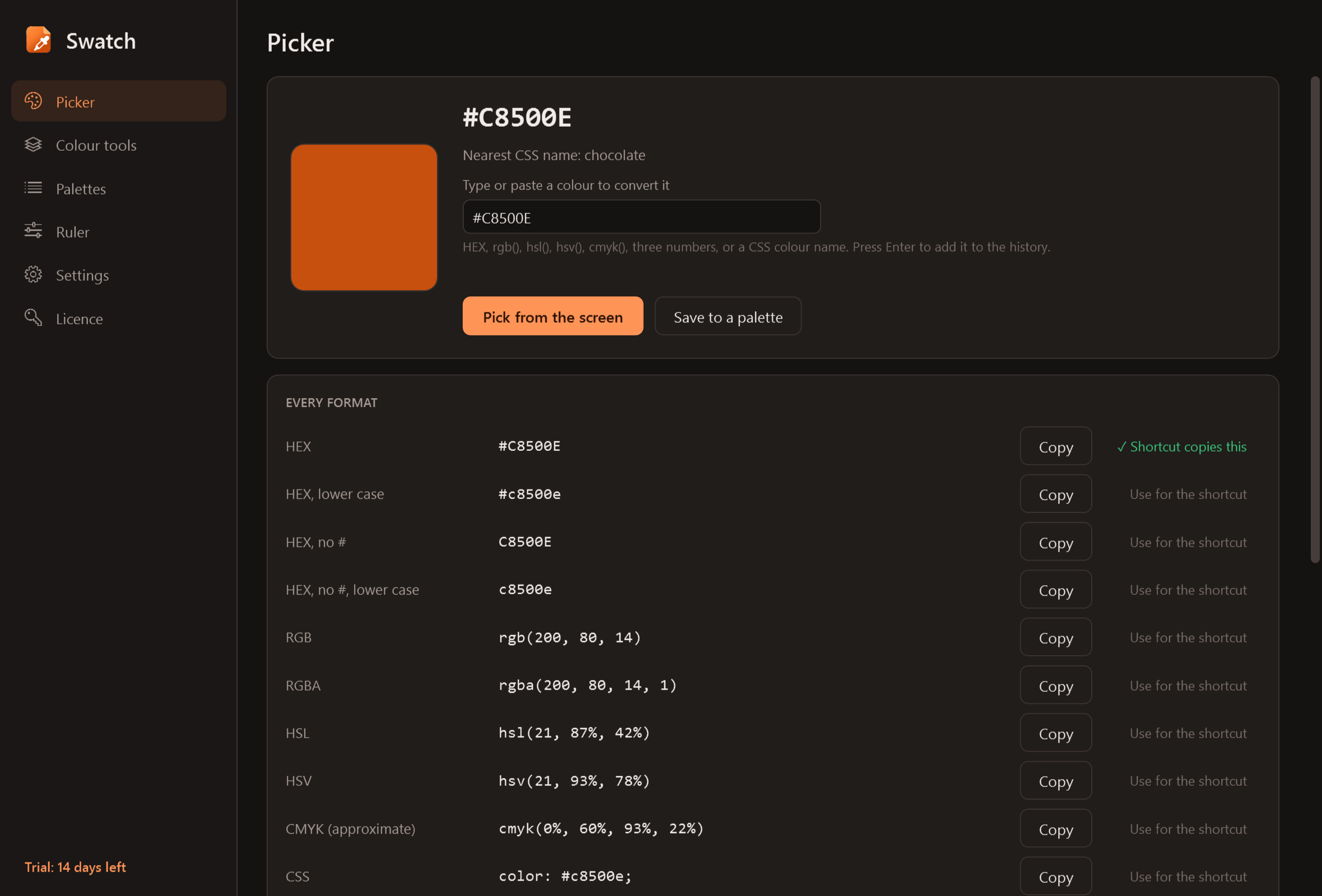
- Every format at once, each with its own copy button: HEX (with and without #, upper or lower case), RGB, RGBA, HSL, HSV, CMYK (approximate, since true CMYK depends on a print profile), ready-to-paste CSS, and a custom format you define.
- Pick a single pixel, or the average of 3 x 3, 5 x 5 or 11 x 11 for photos and gradients.
- Pick from a picture dropped on the window, or type or paste any colour value to convert it.
Colour tools
- Lighter and darker steps and matching colours (complementary, analogous, triadic); click any to copy.
- Contrast checker: the contrast ratio of a text and background colour, whether it passes WCAG AA and AAA for normal and large text, a live sample, and the nearest shade that would pass.
- Colour-blindness preview for a colour or a whole palette (a simulation).
- The nearest CSS colour name as a hint.
Palettes and history
- The last 200 picks are kept in a history strip.
- Named palettes with your own name and note for each colour, reordered by dragging and grouped by project.
- Palette from a picture: drop one in and get its main colours.
- Export as CSS variables, SCSS variables, JSON, a plain text list, a GIMP palette or a PNG swatch sheet; import from the same text formats.
Pixel ruler
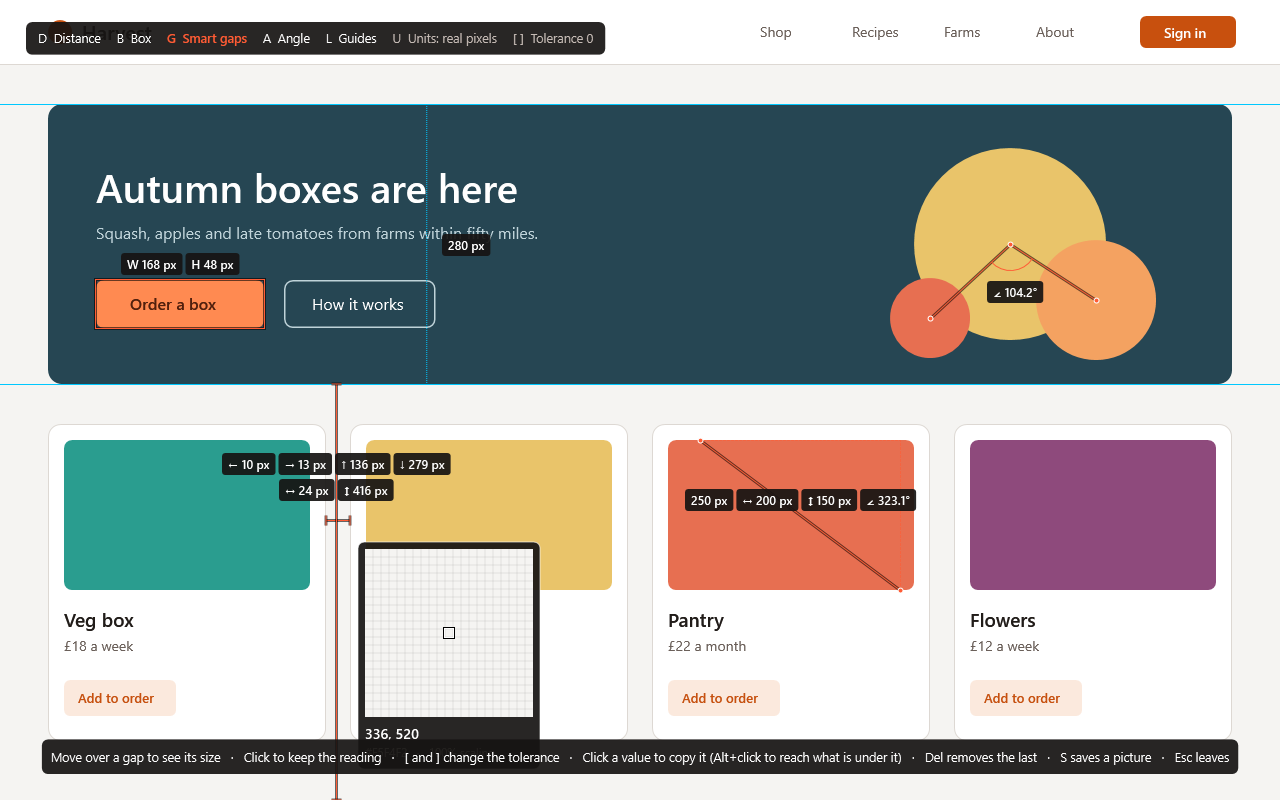
- A second shortcut freezes the screen and opens measuring mode with a crosshair and magnifier.
- Distance (length, horizontal and vertical parts, angle), Box (width x height, adjustable), Smart gaps (finds the nearest edges around the pointer and shows the spacing, with a tolerance for gradients and soft edges), Angle, and Guides.
- Several measurements stay on screen at once, any value is copied by clicking it, and the annotated view can be saved as a picture.
- A floating ruler: a see-through bar that stays on top of other windows, movable, resizable and turned between level and upright.
Good to know
- Everything is measured in real screen pixels on every monitor, whatever its scaling, with an option to show measurements scaled to the monitor's scaling (the units a mock-up uses).
- A pick is the value of the pixel as the application drew it. The loupe shows a warning when HDR is on or a colour profile is in use, since those can change what any picker reads.
- The default shortcuts are Win+Shift+C and Win+Shift+M; both can be changed.
- It installs for your user account only, never asks for administrator rights and runs no Windows service. It waits in the notification area and starts when you sign in.
- Nothing you pick or measure leaves your PC. The only thing Swatch contacts is this store, to check the licence and look for a new version.
- Free to try for 14 days with every feature. After that Swatch needs a licence to keep working; without one it opens only its licence screen, which still lets you export your palettes. Nothing is deleted, and your palettes are usable again once a licence is active.
One-time purchase for one PC. Includes every version released in the following 12 months; the version you have keeps working after that.
1.0.0 Latest
10 Oct 2026 · 52.9 MB
First release.
- Colour picker on a shortcut: loupe with a pixel grid, single pixel or area average, several picks in a row.
- Every colour format with a copy button, a custom format, picking from a picture, and conversion of typed values.
- Colour tools: lighter and darker steps, matching colours, WCAG contrast checker, colour-blindness preview.
- Palettes with names and notes, grouped by project; export and import in six formats; history of the last 200 picks.
- Pixel ruler on a shortcut: distance, box, smart gaps, angle and guides on a frozen screen, plus a floating ruler.
- Light and dark mode, a 14-day trial and built-in updates.
More from Mintmark
See all apps
Other apps you might like
30% off 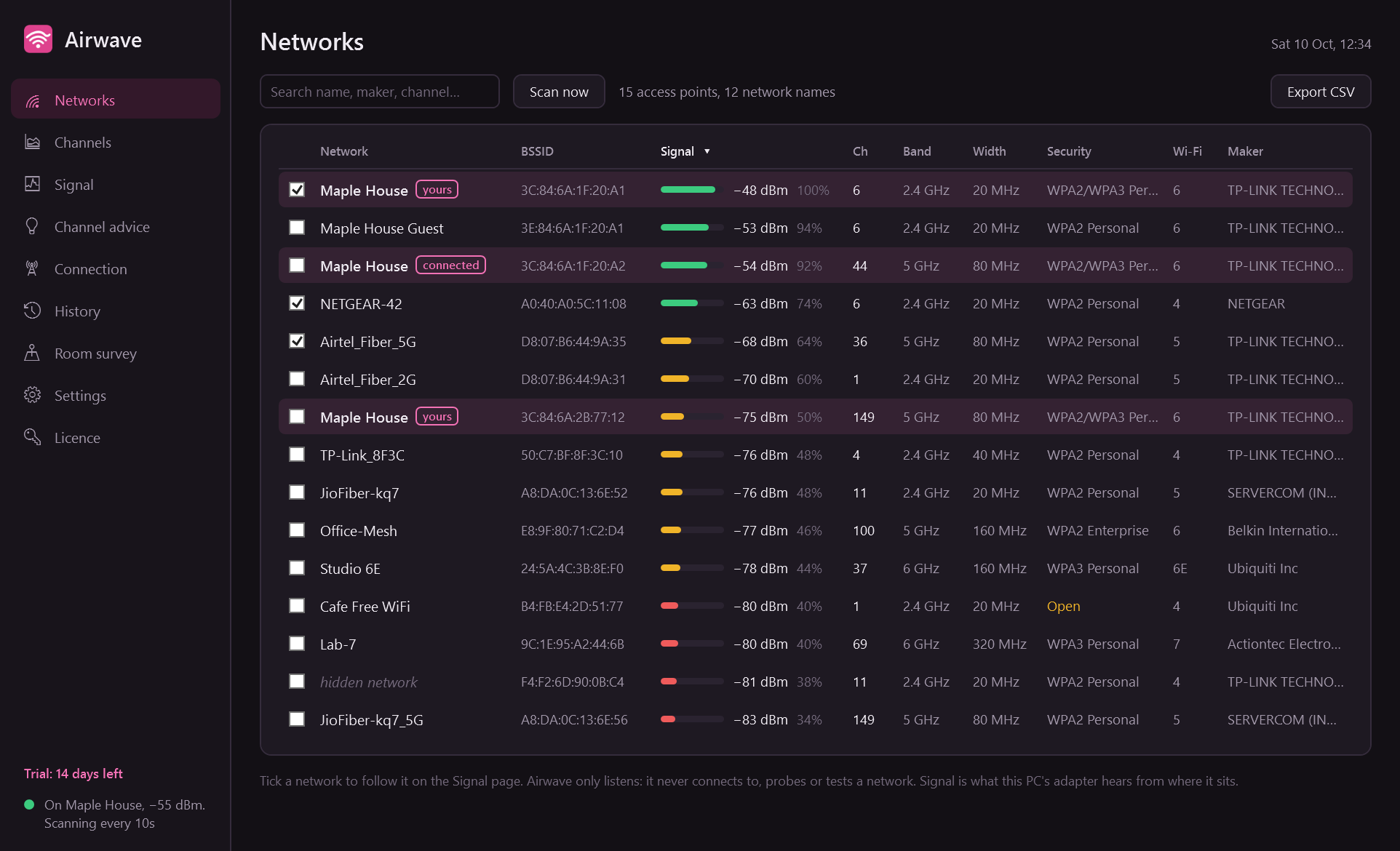

Airwave
Network · v1.0.1See every Wi-Fi network around you, pick the quietest channel, and track your own signal.
₹559 ₹799$10.50 $15
Try free
30% off 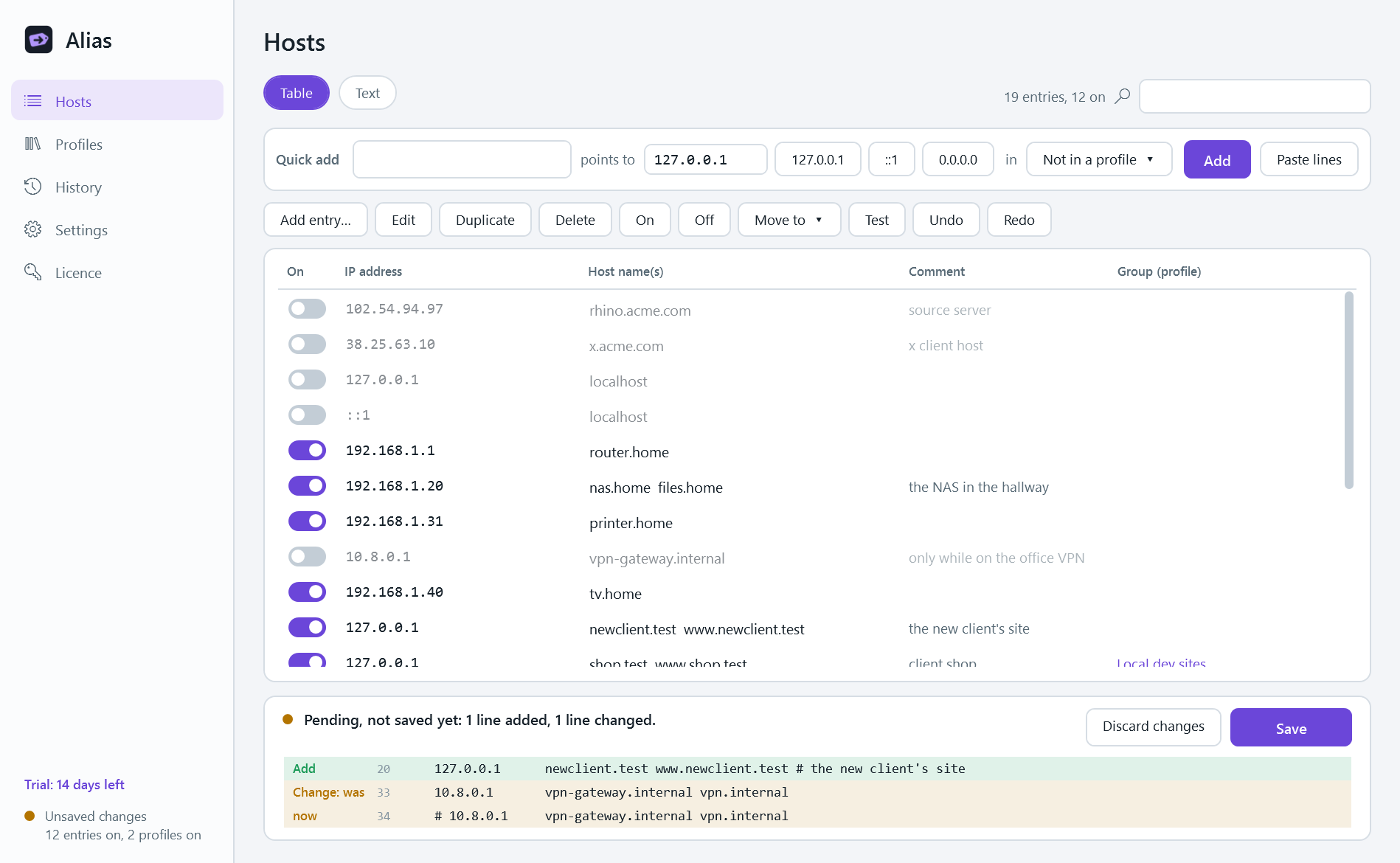

Alias
Network · v1.0.0Edit the Windows hosts file safely, with profiles you switch in one click.
₹559 ₹799$10.50 $15
Try free
30% off 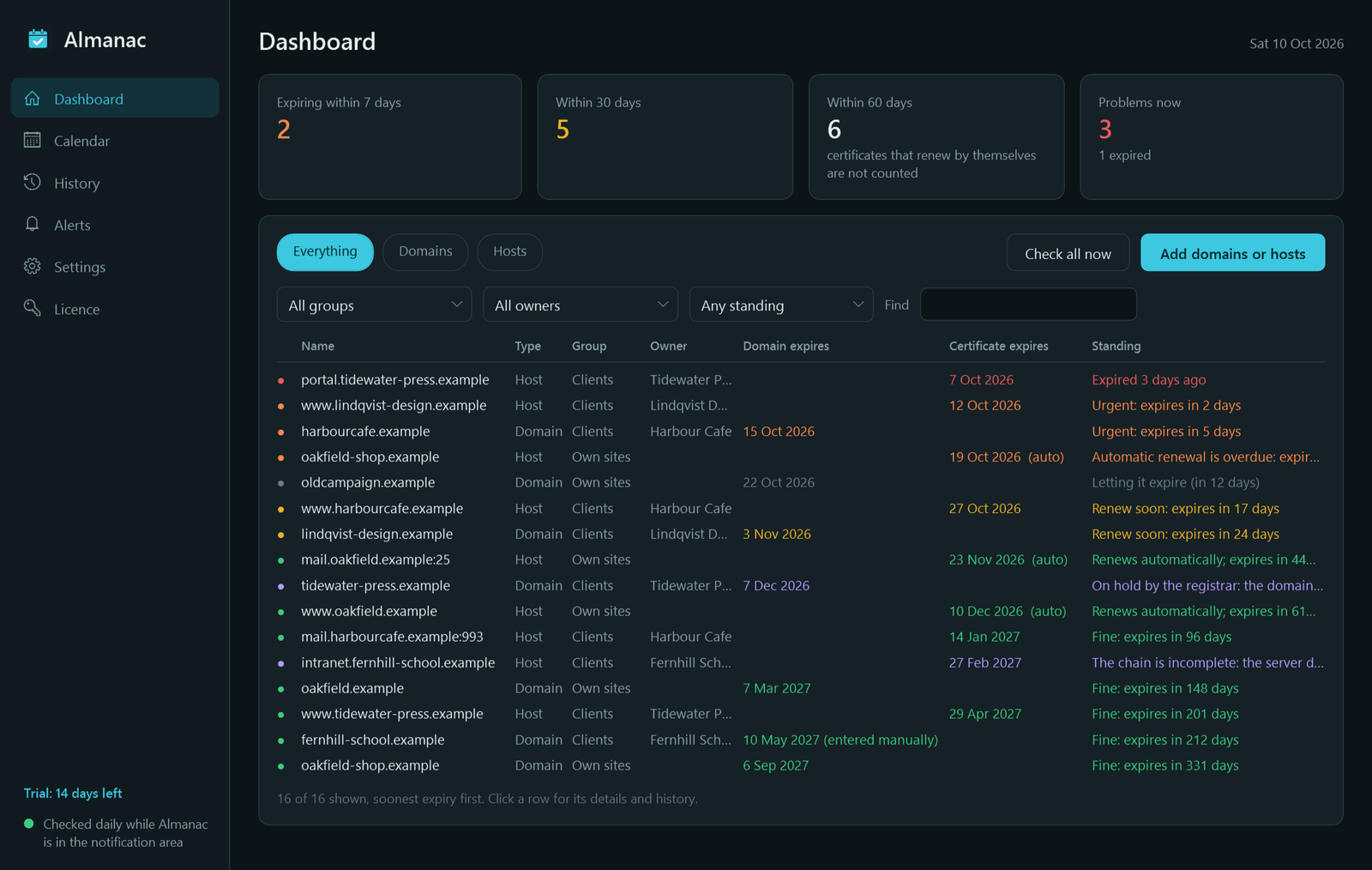

Almanac
Network · v1.0.1Never let a domain or a certificate expire by surprise.
₹559 ₹799$10.50 $15
Try free